# Set Collision Channels

In the **BP\_Arcware\_Pawn** there are 3 different collision settings to be aware of...\
\
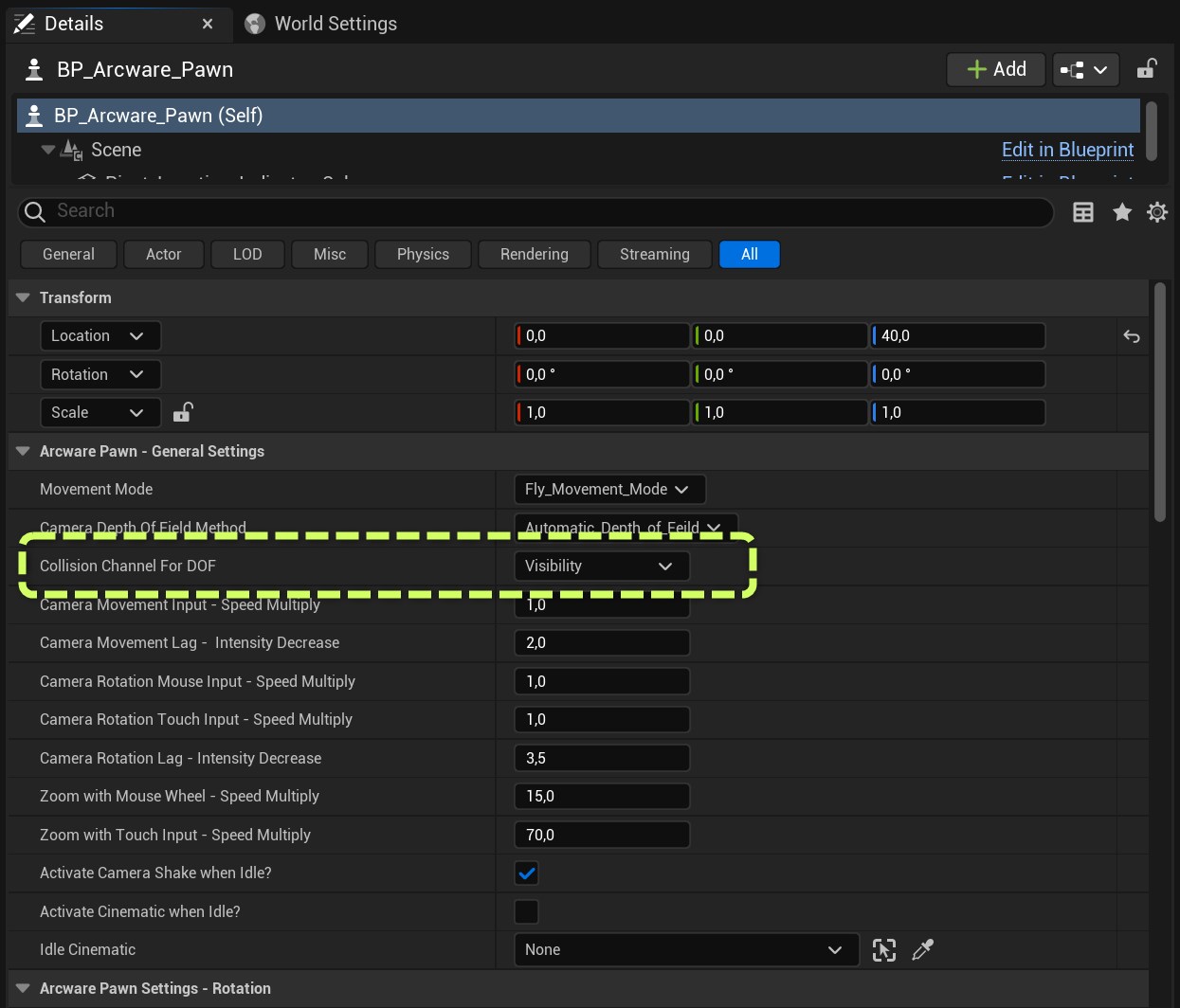
**1)** **Collision Channel for DOF:**\
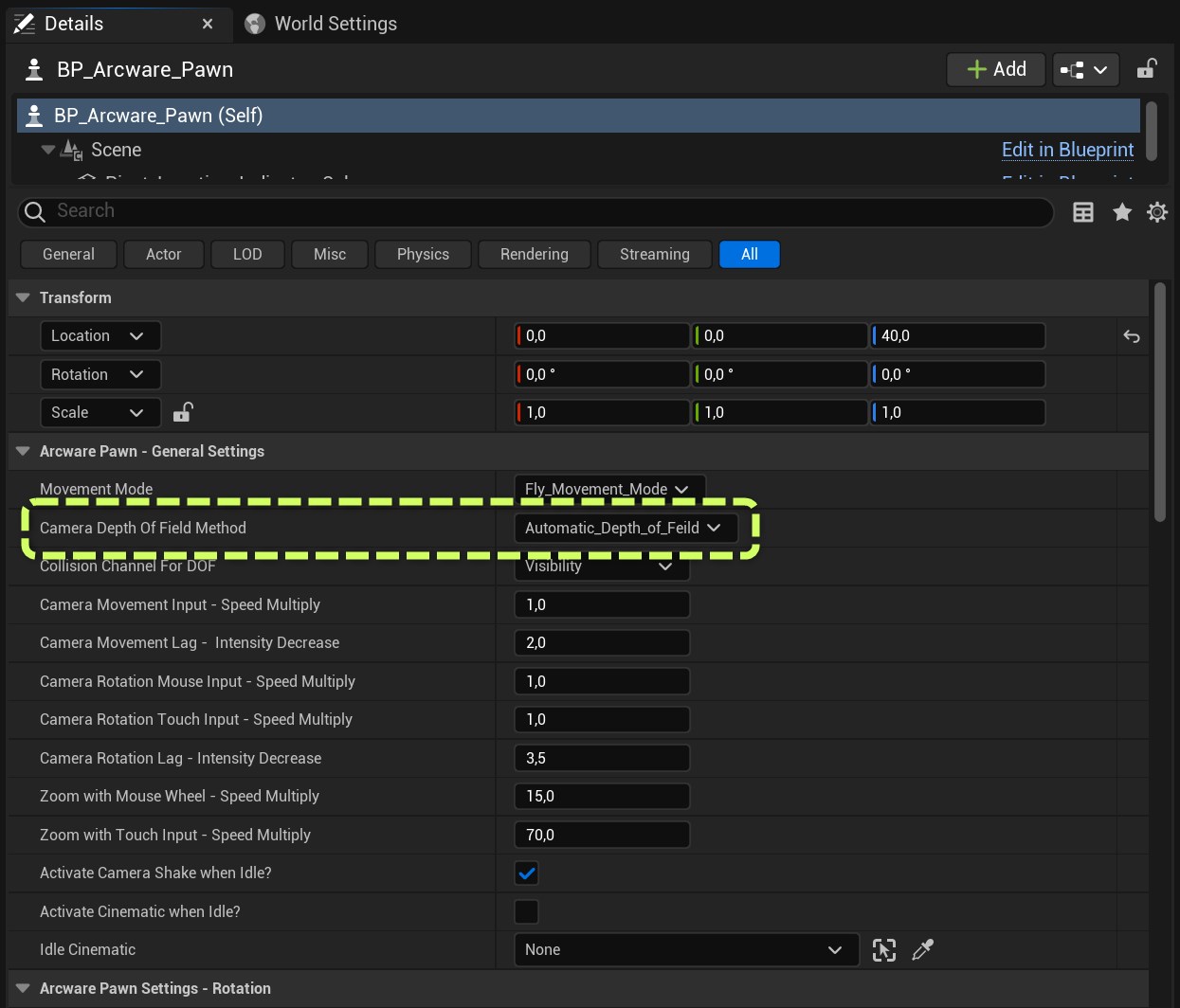
If you are using the setting '**Camera Depth of Field Method** = **Automatic\_Depth\_of\_Field'** ...&#x20;

<figure><img src="/files/cRGq0xUvWpAqurbuF8f0" alt=""><figcaption><p>DOF Method</p></figcaption></figure>

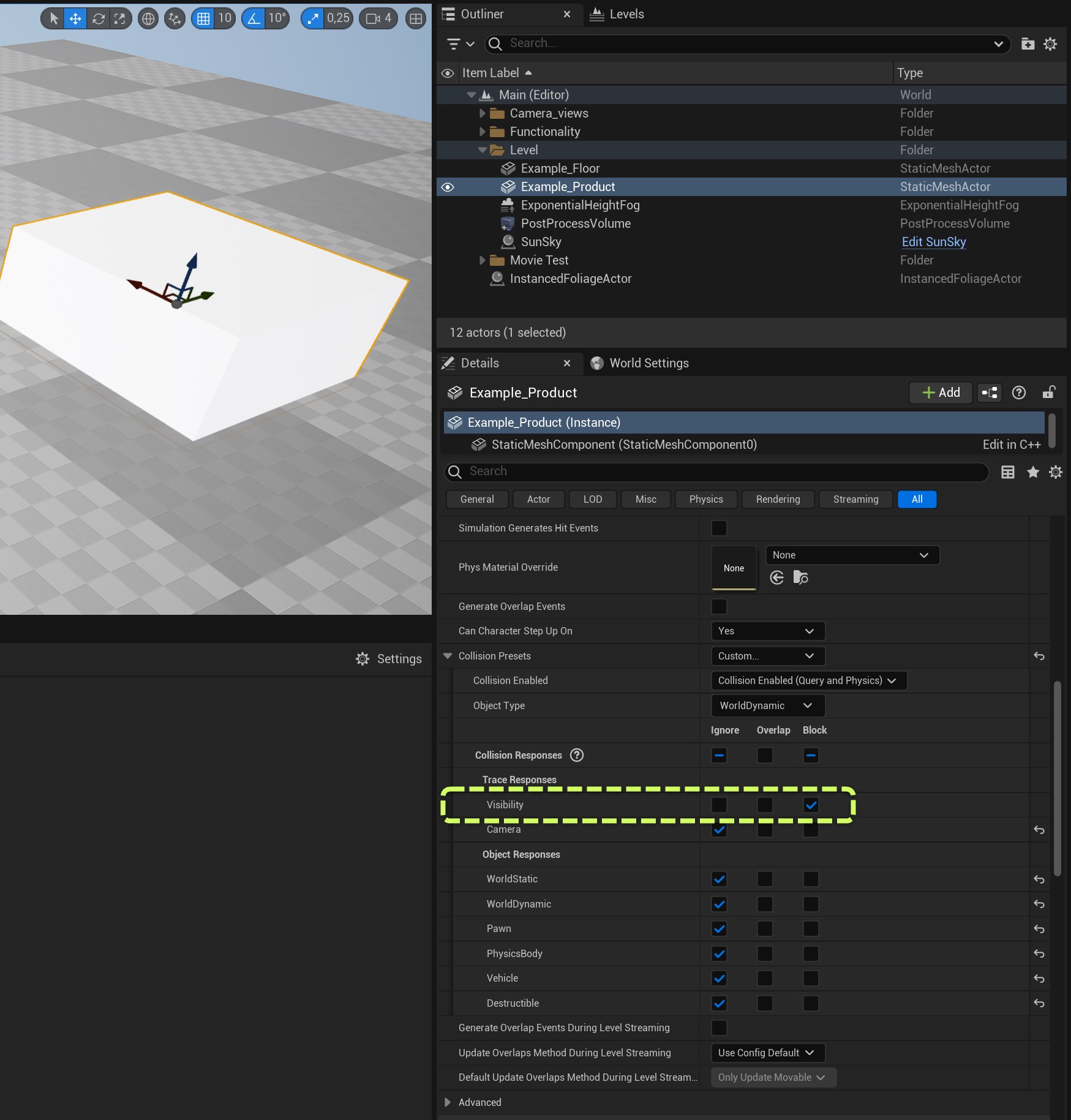
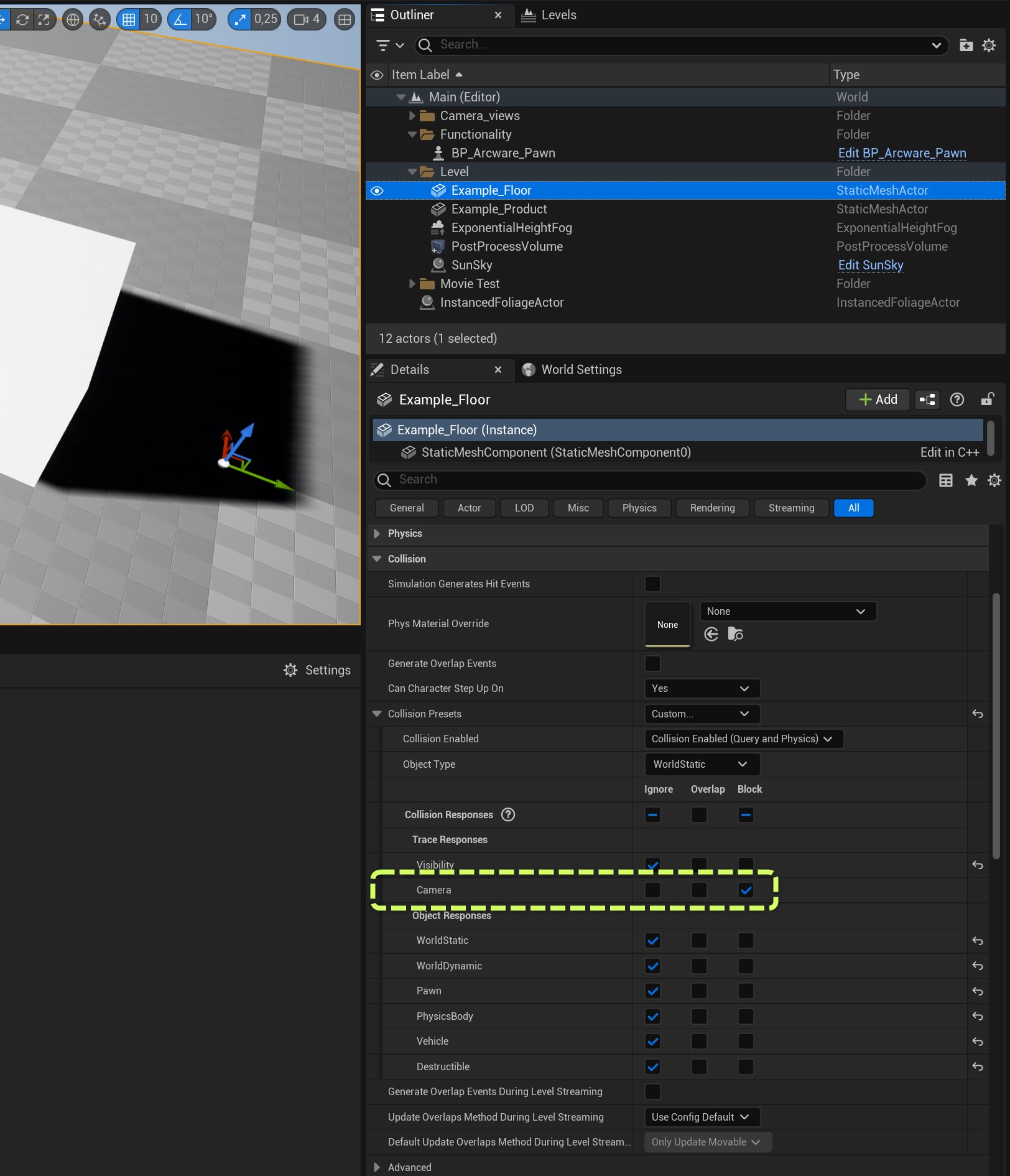
... Then you need to be aware of the Collision Channel that's being used to update the Auto depth of field. In it's default set up, any mesh with the **'Visibility'** collision channel set to **'block'** will react to the Automatic depth of field.&#x20;

<figure><img src="/files/8uHuE074naxg1kODjQ6p" alt=""><figcaption><p>Collision channel for DOF</p></figcaption></figure>

<figure><img src="/files/PljR7n1lVhGdDgTnl70r" alt=""><figcaption><p>Example of setting 'Block' Visibility collision response on a mesh, to react with DOF</p></figcaption></figure>

**2) Spring Arm Collision Channel:**\
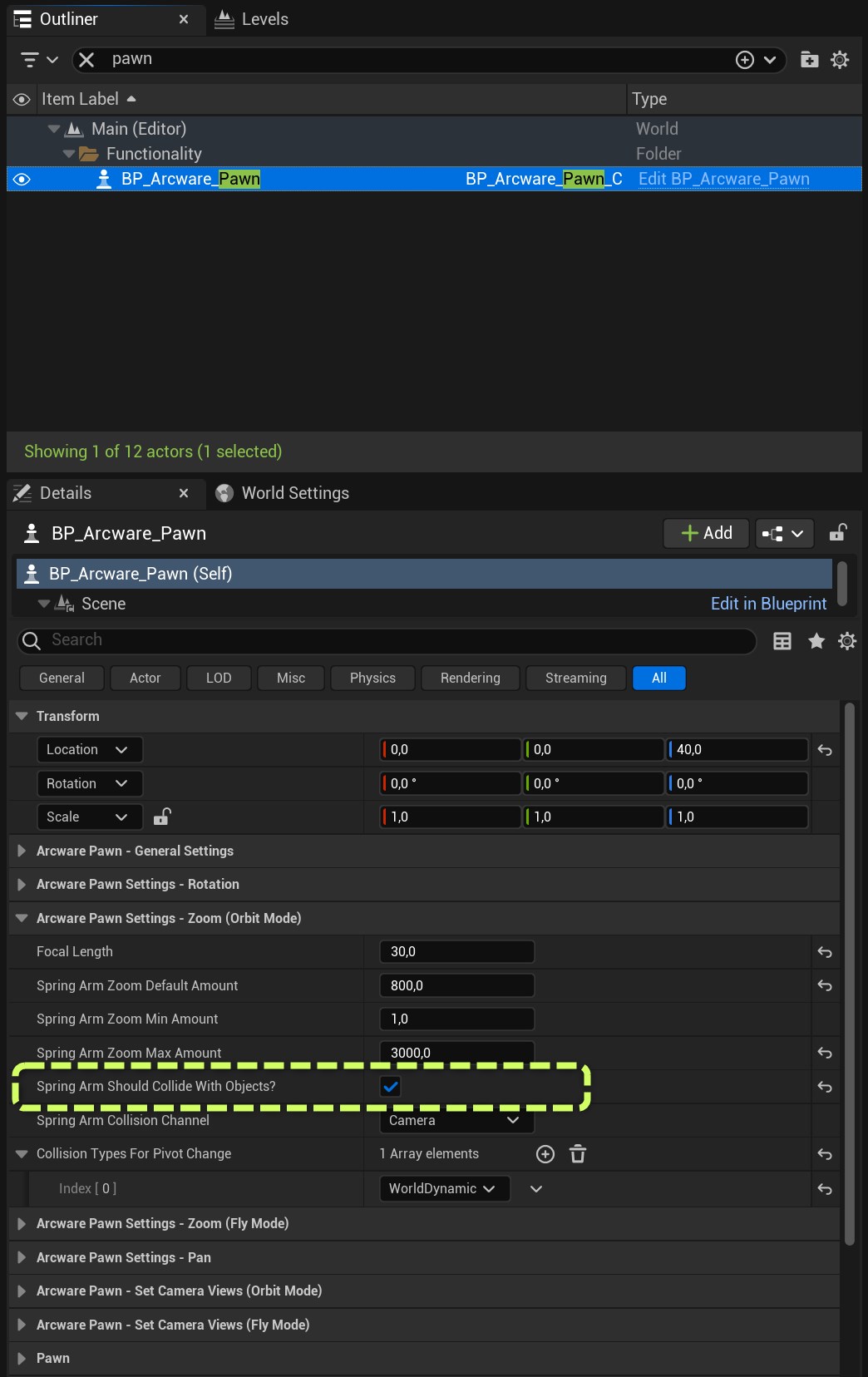
if you are using the **'Orbit Movement Mode'** then a Spring Arm component is being used to rotate the camera around the focus point. If **'Spring Arm Should Collide With Objects?'** is enabled...

<figure><img src="/files/kH4tn41TbjfdRXyj6cG2" alt=""><figcaption><p>Enable Spring Arm Collision</p></figcaption></figure>

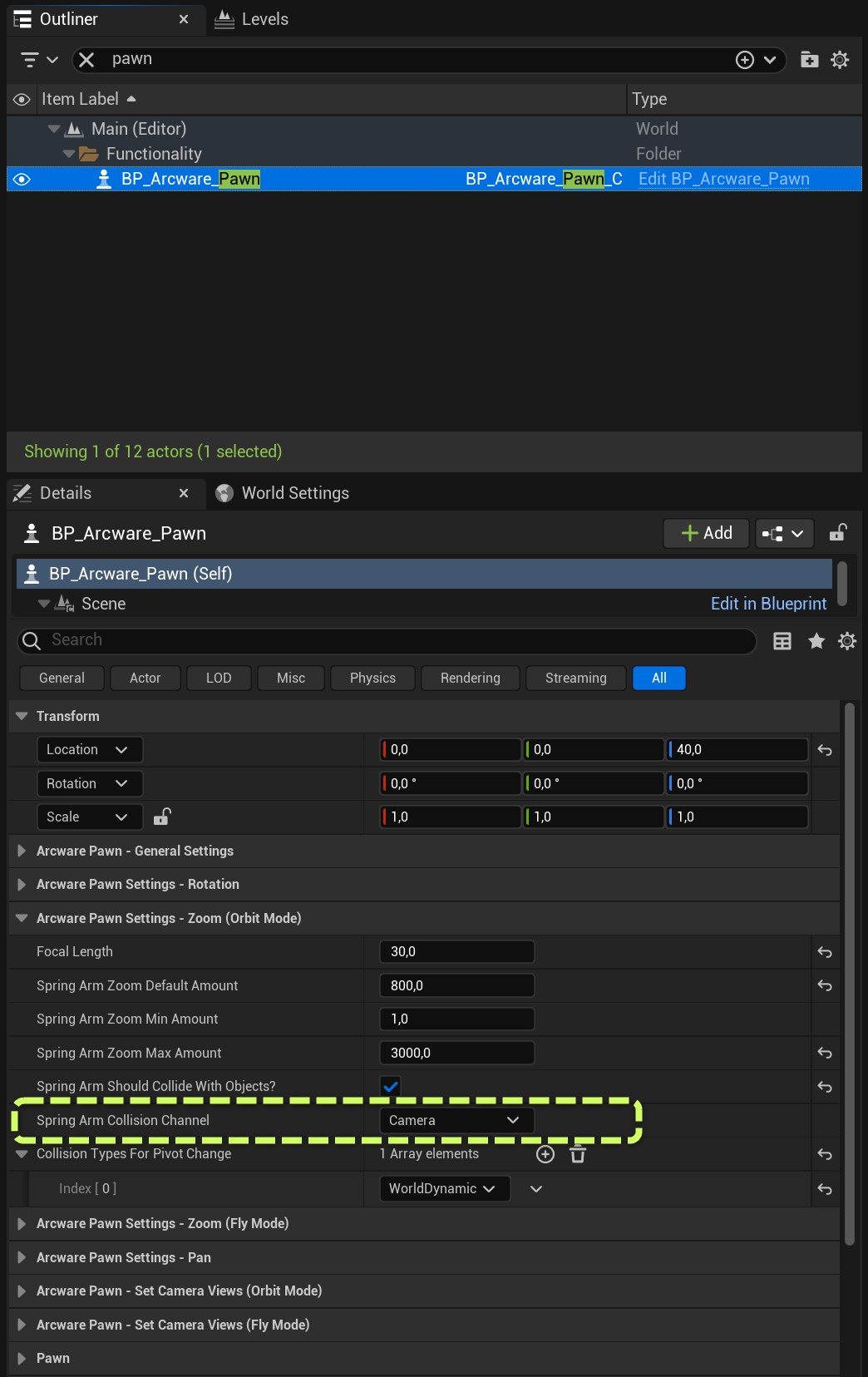
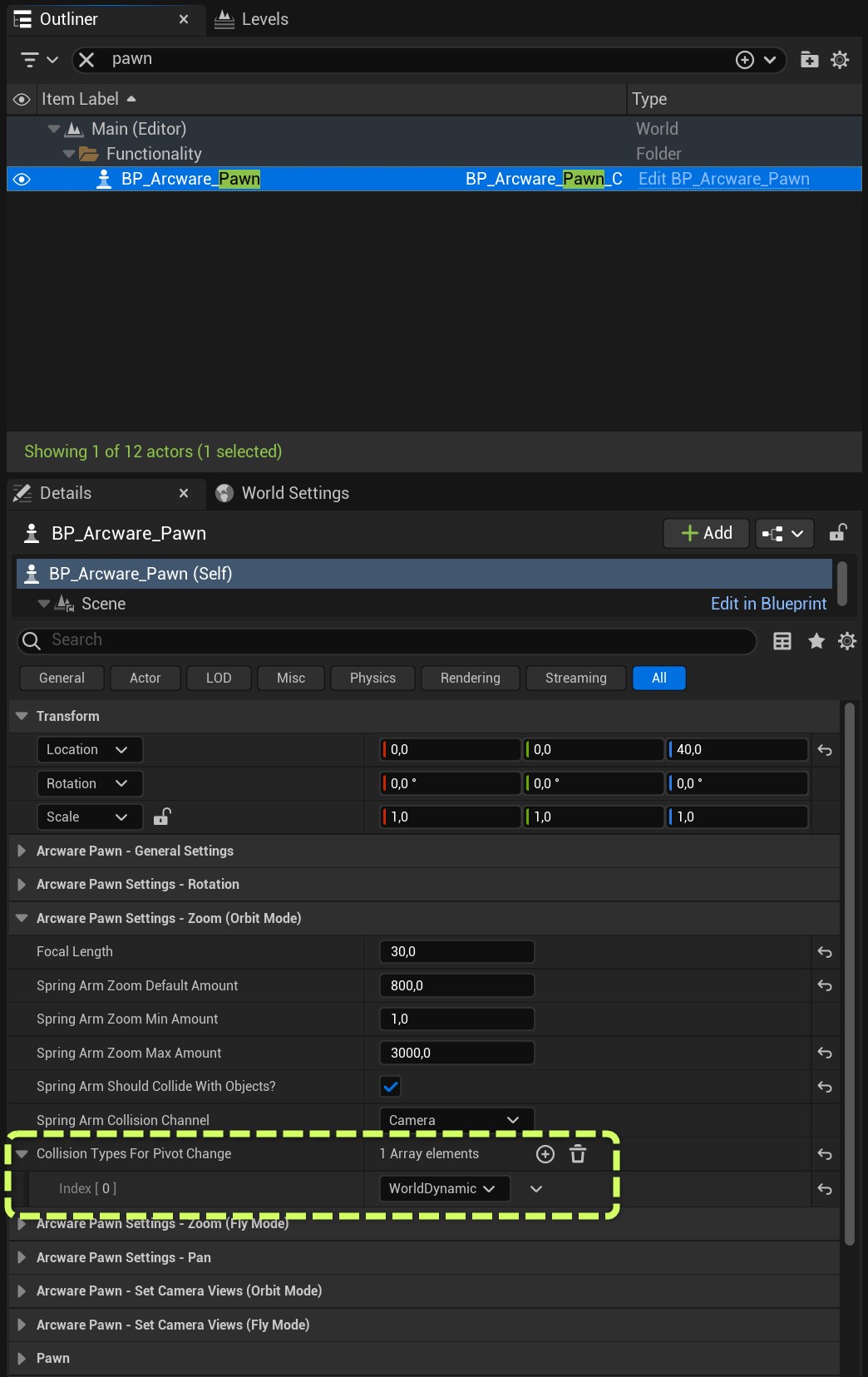
... then the Spring Arm component has in-built logic for handling collisions. With the '**Spring Arm Collision Channel'** setting, we can specify a collision channel that will be used to stop the player camera. (useful when you want to stop the user from orbiting through the floor/walls)&#x20;

<figure><img src="/files/iprEjbRL81ZcnF9GNuBv" alt=""><figcaption><p>Set Spring Arm Collision Channel</p></figcaption></figure>

<figure><img src="/files/nJ66HFKprdsmWCKgWD2j" alt=""><figcaption><p>Example of setting 'Block' Camera collision response on a mesh, to stop Spring Arm camera going through it</p></figcaption></figure>

**3) Collision Types For Pivot Change:** \
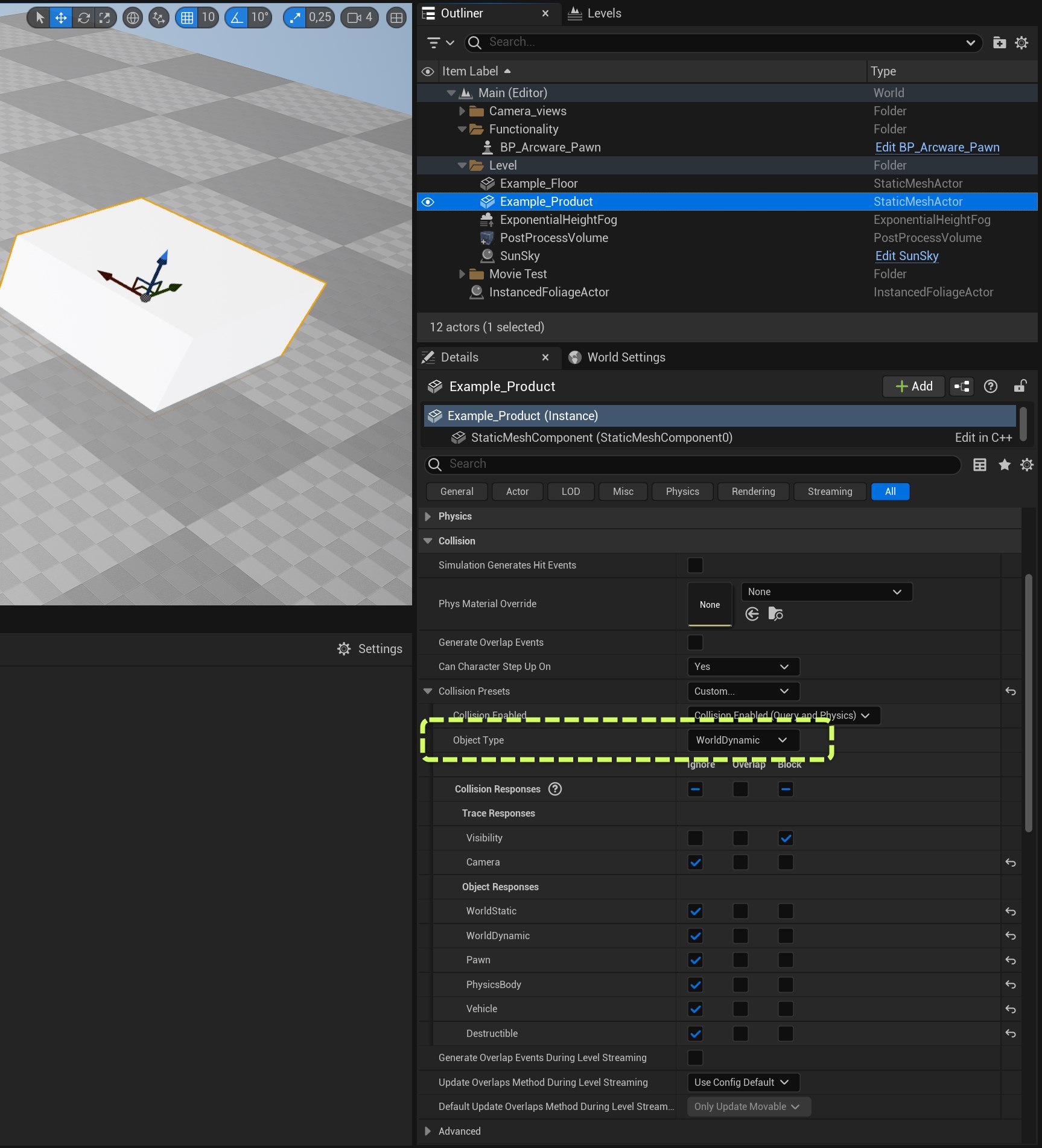
Setting these collision object types, means that you can move the camera pivot point (teleporting) to meshes that are set to **'block'** those collision object types.&#x20;

<figure><img src="/files/7kDKQm8q5cJJ8dEIpxpD" alt=""><figcaption><p>Set Collision types for allowing pivot changing</p></figcaption></figure>

<figure><img src="/files/v1LPYKKUleKQxw8rySHE" alt=""><figcaption><p>Example of setting 'Object Type' collision on a mesh, for allowing pivot change</p></figcaption></figure>


---

# Agent Instructions: Querying This Documentation

If you need additional information that is not directly available in this page, you can query the documentation dynamically by asking a question.

Perform an HTTP GET request on the current page URL with the `ask` query parameter:

```
GET https://docs.arcware.cloud/unreal-engine-setup/using-the-arcware-pixel-streaming-template-project/getting-started/arcware-blueprints/arcware-pawn/set-collision-channels.md?ask=<question>
```

The question should be specific, self-contained, and written in natural language.
The response will contain a direct answer to the question and relevant excerpts and sources from the documentation.

Use this mechanism when the answer is not explicitly present in the current page, you need clarification or additional context, or you want to retrieve related documentation sections.